

Best 24/7 Gym Software for 24 Hour Gyms (2026): Access, Billing & Door Control Compared
The software a 24-hour gym needs is whichever one ties the door to billing. ManageMemberships does that in a single system: when a payment fails, the door stops opening for that member automatically, with no staff involved. GymMaster, PushPress, Gymdesk and Glofox each cover part of the job. This compares all seven on access control, billing and door hardware.
A member's payment fails on Wednesday. Their key fob still works Friday. Nobody catches it until you manually cross-reference billing with your access log — which you don't have time to do every week. That's the core problem with 24 hour gym software that doesn't tie billing to the door.
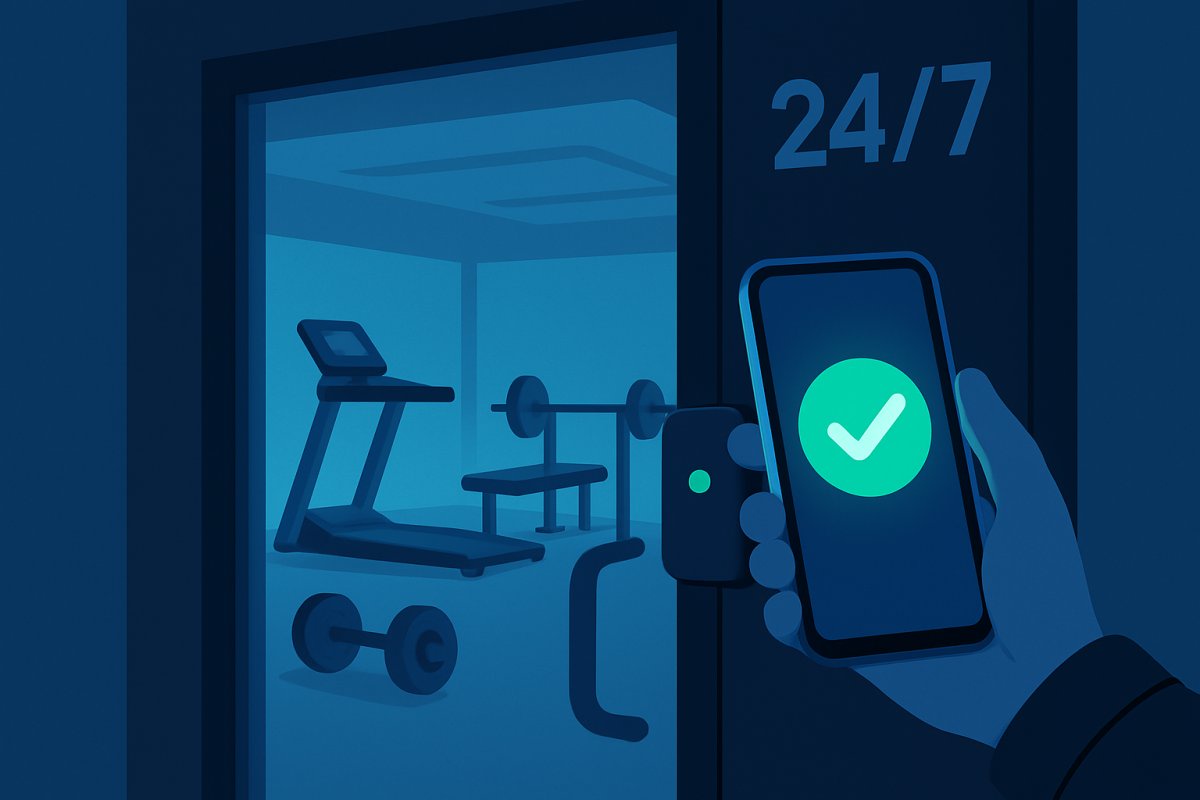
Running a 24/7 gym means your building needs to work when you're not there. Members need to get in at 5 AM. Failed payments need to lock the door automatically. And you need to know who's in the building at 2 AM without watching a camera feed.
Most gym owners end up buying management software that doesn't control doors, then buying a separate access system that doesn't know who's paid. Two systems. Two bills. Zero communication between them.
I've installed access control hardware at multiple 24/7 facilities through ManageMemberships. I'll be upfront about that bias. But this guide works regardless of what platform you choose — the hardware, the costs, and the decisions are the same.
What We've Learned Running the Hardware
Most comparisons of 24 hour gym software are written by people who have never wired a door. ManageMemberships builds and operates its own door controllers, so the following come from running them in live facilities rather than from a spec sheet.
- A three-second unlock pulse is too short. We shipped 3.0 seconds and re-locked on members who were still walking to the handle. The current default is 6.0 seconds. If a vendor will not tell you their unlock duration, that is a question worth asking.
- You almost never replace the door hardware. A controller integrates with the request-to-exit input on the access power supply the building already has. The common failure is a controller whose output is a low-current optocoupler that cannot pull that input low enough to trigger it — it works at some sites and silently fails at others.
- Decide what the door does when the network dies. Access decisions should be cached locally so a cloud or internet outage does not strand members outside. Ask any vendor what happens to their door when their API is unreachable.
- Egress must not depend on software. A push-to-exit button should break lock power in hardware, not round-trip through a controller. If it only works when the system is up, it is not an exit device.
The reason this matters for software selection: access control is where gym platforms quietly stop being software. A platform that resells someone else's reader cannot answer any of the four questions above, and those are the ones that determine whether your 2 AM actually works.
What Happens at 2 AM When a Payment Fails
This is the scenario that separates good access control from bad. And nobody in the industry talks about it because most systems don't handle it well.
2. Payment fails Wednesday morning
3. Member scans fob Wednesday at 6 AM — door opens
4. Nobody notices until Friday when staff checks billing
5. Staff manually deactivates fob
6. Member already got 3 free days
7. Multiply by every failed payment, every month
2. Payment fails Wednesday morning
3. Door stops working immediately
4. Member gets automated text: "Update your payment to restore access"
5. Member updates card on their phone
6. Payment processes automatically
7. Door works again — zero staff involvement
This is why integrated platforms beat separate billing + access systems. When the billing system and the door controller are the same platform, there's no sync delay, no manual step, no gap. For a full walkthrough of the failed payment recovery flow, see what happens when a gym member misses a payment. For a full walkthrough of the failed payment recovery flow, see what happens when a gym member misses a payment. See how ManageMemberships handles this.
How 24-Hour Gym Access Control Actually Works
The concept is simple. The execution is where most people get it wrong.
The whole check happens in under 2 seconds. No staff needed. The critical part is step 2 — billing status must control the door in real-time. If your access system and billing system are two separate platforms that sync once a day (or worse, manually), you've got a gap where non-paying members walk in.
This is the single most important thing to get right. Everything else — hardware brand, fob vs phone, mag lock vs electric strike — is secondary to whether your door knows who's paid.
The Real Problem With 24/7 Gym Software
Most gym management platforms were built for staffed gyms. They handle scheduling, billing, and check-ins — all things that assume someone is behind the front desk. When you go 24/7, those platforms break in three ways:
- No door control. Your management software knows who's paid. But it can't open or lock a door. So you buy a separate access system — Kisi, a key fob setup, a PIN pad — and now you're running two systems that don't talk to each other.
- No automatic lockout. A member's payment fails on Tuesday. They walk in Wednesday at 5 AM because your access system has no idea their billing failed. You're giving away free access to people who aren't paying.
- No visibility. Who's in the building right now? Who was there at 2 AM last Saturday? Most gym software can't tell you because check-in and access are two different systems.
The platforms below handle this differently. Some solve it natively. Most don't.
Quick Comparison
| ManageMemberships | GymMaster | PushPress | Glofox | Gymdesk | |
|---|---|---|---|---|---|
| Monthly cost | $0–99/mo + $89/mo access | $89–249/mo | $0–229/mo + add-ons | $100–600/mo (opaque) | $75–200/mo + $100/mo access |
| Door access built-in? | Yes — built-in ($89/mo) | Yes (their hardware) | No — needs Kisi ($50–80/door/mo) | No — needs Kisi | Smart lock ($100/mo) |
| Auto-locks on failed payment? | ✓ Automatic | ✓ | Depends on Kisi setup | Depends on Kisi setup | ✓ |
| Branded mobile app | ✓ Included | ✗ | $97/mo add-on | ✓ included | ✗ |
| Digital waivers | ✓ | ✓ | ✓ | Via integration | ✓ |
| POS | ✓ | ✓ | ✓ | ✓ | ✓ |
| SMS/email marketing | ✓ Included | ✓ | $329/mo add-on | ✓ | Basic |
| Real total cost (with access + app) | $188/mo all-in | $89–249/mo | $376–655/mo | $200–750/mo | $175–300/mo |
The bottom row is the one that matters. When you add up the real cost of management software + door access + a branded app, most platforms double or triple their advertised price.
Key Fobs vs. Phone App vs. PIN vs. Biometric
This is the first question every gym owner asks. Here's the honest breakdown:
| Factor | Key Fobs | Phone App (QR/BT) | PIN Code | Biometric |
|---|---|---|---|---|
| Cost per member | $3–8/fob | $0 | $0 | $0 |
| Hardware cost | $150–400 | $200–600 | $100–300 | $2,000–5,000 |
| Sharing risk | High | Very low | Very high | None |
| Lost/replacement | 15–20%/yr | N/A | Forgotten PINs | N/A |
| Billing integration | Rarely | Yes — real-time | No | Sometimes |
| Duplication risk | Cloneable for $5 | Not cloneable | Trivially shared | Not possible |
| ADA compliance | Good | Good | Good | Problematic |
The verdict: Phone-based access (QR code or Bluetooth) tied to billing is the gold standard. Payment fails on Tuesday, door stops working on Tuesday. No manual intervention. No fobs to buy, replace, or worry about getting cloned. Not sure whether QR or Bluetooth fits your setup? See our Bluetooth vs QR code gym access comparison.
The only argument for fobs: members without smartphones. That's a shrinking group. If you need to accommodate them, offer fobs as a fallback, not the primary method. More on this in our guide on how to replace gym key fobs with an app.
What 24/7 Access Control Actually Costs
Adjust the sliders to match your gym. These are real numbers from real installs.
What You're Actually Installing on the Door
Every door needs three things: a mag lock or electric strike ($50–150) that physically holds it shut, an access control board ($100–300) that connects to WiFi and tells the lock what to do, and a reader ($50–200) — QR scanner, RFID, or Bluetooth — that identifies the member. Total hardware per door: $200–800 depending on what you choose.
For a full hardware breakdown including specific models and install steps, see our guide on how to set up mag lock door access for a gym.
Want the full hardware picture — readers, controllers, fail-safe vs. fail-secure wiring, and how it all connects to your software? Read the complete guide to 24-hour gym access control systems.
What to Look for in 24 Hour Gym Software
Most gym management software with door access bolts the two systems together. Here's what separates platforms that actually work for unmanned operations:
- Billing controls the door natively. Not via a webhook, not via a daily sync — the same system that processes payments also sends the unlock signal.
- Offline capability. The controller must cache member data locally. An internet blip at 3 AM shouldn't lock out your members.
- Real-time access logs. You need to know who entered and when, from your phone, without pulling camera footage.
- Tier enforcement. Basic members locked out after 9 PM. Premium members in 24/7. The door enforces it automatically.
- Transparent pricing. Add up the real total: software + door access + app + marketing. Most platforms look cheap until you do the math.
Platform-by-Platform Breakdown
ManageMemberships — $0–99/mo + $89/mo access
All-in-one: billing + access + app, one billBuilt for 24/7 from day one. Door access isn't an add-on — it's the foundation.
ManageMemberships was built in 24/7 gyms and MMA facilities — environments where the door has to work when nobody's there. Access control isn't a feature that was bolted on after the fact. It's the reason the platform exists.
How 24/7 access works:
- Member opens their phone → scans at the door → door unlocks. No fobs. No PINs.
- Payment fails? Door locks automatically. Same system — no webhook to break.
- Membership expires? Access revokes instantly. Tiers enforced automatically.
- Who's in the building? Real-time log. Every door open logged with member ID and timestamp.
What makes it different:
- Billing and access are one system. No integrations to configure or break.
- No proprietary hardware lock-in. Standard hardware. Switch platforms, hardware stays.
- Branded mobile app included. Not a $97/mo add-on.
- Direct support from the founder. Call a number. Talk to a human who built it.
Pricing:
- Free: $0/mo (50 members)
- Starter: $29/mo (150 members)
- Core: $99/mo (unlimited members)
- Door Access: $89/mo add-on (all doors, no per-door fee)
- All-in at Core + access: $188/mo
Where it falls short:
- Smaller company — fewer third-party integrations than PushPress or Glofox (no native Zapier, no QuickBooks sync yet)
- No FFL/ATF record-keeping — not the right fit if you run an active gun store alongside a range
- Hardware is self-install or local contractor — no national install network like enterprise vendors
- Newer platform — limited third-party reviews on G2 or Capterra yet
GymMaster — $89–249/mo
Best native access control optionThe access control specialist. Solid if you can live with the rest.
GymMaster is the platform most often recommended for 24/7 gyms, and for good reason — door access control is their core feature, not an afterthought. They sell their own hardware and the integration between billing status and door locks is tight.
What it does well:
- Native door access control with their own hardware
- Membership status directly controls door access
- Self-service kiosks for unmanned check-in
- Reasonable pricing based on member count
Where it falls short:
- Based in NZ — support is on NZ time. Door issue at 9 PM Eastern? You're waiting.
- No branded mobile app — generic GymMaster app
- Dated UI, clunky reporting, expensive add-ons
- Locked into their proprietary hardware — switch platforms, hardware doesn't come with you
PushPress — $0–229/mo (before add-ons)
Great for staffed gyms. Not built for 24/7.Great billing platform. Door access? That'll be extra. Way extra.
PushPress is popular in CrossFit and functional fitness. The billing and membership tools are solid. The free tier is genuinely useful. But 24/7 access control is not something PushPress does natively — you bolt on Kisi at $50–80 per door per month, plus $749–1,099 per hardware unit upfront.
Real cost for a 24/7 gym on PushPress:
- PushPress Core Pro: $159/mo
- Branded app: $97/mo
- Kisi (1 door): $50–80/mo
- PushPress Grow (marketing): $329/mo
- Total with all features: $635–665/mo
Even without the marketing add-on, you're at $306–336/mo for billing + app + one door. Looking to leave? See our PushPress alternatives breakdown.
Glofox (ABC Glofox) — $100–600/mo
Enterprise polish — door access not includedEnterprise polish. Enterprise pricing. Still need Kisi for the door.
Glofox is owned by ABC Fitness. Polished, enterprise-grade software with a branded member app. But like PushPress, it doesn't control doors natively — relies on Kisi integration. Pricing is completely opaque. You have to contact sales to find out what you're paying. If you're a multi-location operation with budget, it's worth a look. If you're a single-location gym going 24/7, you're paying for a lot of enterprise features you won't use.
Gymdesk — $75–200/mo + $100/mo for access
Good value for martial arts / small 24/7 gymsGood martial arts platform. Access control is a paid add-on.
Gymdesk started in martial arts and expanded to general gym management. They added smart lock integration — but it's an add-on at $100/mo for up to 3 devices, plus $29/mo per additional device. Clean UI, easy to learn, no branded mobile app. Good value for martial arts gyms that need basic 24/7 access without a big learning curve. If you run a martial arts gym and want a full software comparison, see our martial arts membership software guide. If you run a martial arts gym and want a full software comparison, see our martial arts membership software guide.
Common Failure Scenarios (and How to Handle Them)
Security, Insurance, and Liability
Going 24/7 means taking on liability for hours when nobody's watching. Here's the minimum:
Camera System (non-negotiable)
- Cover every area: entrance, main floor, locker room entrances (not inside), parking lot
- Cloud-based recording with at least 30 days retention
- Remote viewing from your phone
- Visible cameras are a deterrent. Hidden cameras create liability.
- Budget: $500–2,000 for a 4–8 camera system
Insurance & Legal
- Your policy must explicitly cover unmanned hours. Some insurers won't. Ask directly.
- Separate liability waiver for unstaffed hours
- Attorney review of member agreement: $500–1,000 one-time
- AED ($1,200–2,000) — required in many states
- Emergency phone or panic button
Tier Your Memberships Around Access
Don't give everyone 24/7 access at the same price. Your door system should enforce access tiers automatically:
(6 AM – 9 PM)
Your upsell target
+ priority booking
Members pay more for "anytime access" even if they only come during normal hours. The perceived value of 24/7 is higher than actual usage. Your access control system needs to enforce these tiers automatically — basic members get denied at the door after 9 PM.
How Long Does Setup Actually Take?
How to Decide
If door access is your #1 priority and you want purpose-built hardware: GymMaster. Just know you're locked into their ecosystem and support is in New Zealand.
If you're a staffed CrossFit/functional fitness gym that doesn't need 24/7: PushPress. Great billing, great community. Don't try to make it a 24/7 platform.
If you want enterprise polish and have the budget: Glofox. You'll pay for it, and you'll still need Kisi.
If you're a martial arts gym that needs basic 24/7 access: Gymdesk. Affordable, clean, smart lock integration. For a dedicated breakdown, see our martial arts membership software comparison.
If you want billing, access control, a branded app, and marketing from one vendor at one price: ManageMemberships. $188/mo. One system. One bill. The door and the billing engine are the same thing.
Want to see how the pieces fit together in practice? Here's how gyms use it for 24/7 gym management software without hiring overnight staff.
Questions to ask before choosing:
- What happens to the door when a member's payment fails — automatically, or manually?
- Is door access built into the platform, or does it require a third-party integration?
- What's my real monthly cost including access control, a branded app, and marketing?
- If I switch platforms, does my door hardware still work?
- Can I try it before I commit?
Frequently Asked Questions
ManageMemberships door access control starts at $89/mo. Billing-tied. Offline-capable. Hardware from $250. No long-term contract.
Related: Run a 24-Hour Gym Without Staff · Best Access Control for Gyms · Replace Key Fobs With an App · Phone-Based Door Access · All Features
