 ManageMemberships
ManageMemberships vs GymDesk
GymDesk is a solid gym management platform. It handles memberships, scheduling, billing, and check-ins well, and its interface is clean and straightforward. If you're on GymDesk and it's working for you, there may not be a reason to switch. The differences that matter most are door access (native here, a partner-based Beta add-on there), a branded app included on Core, and flat pricing that doesn't step up as your member count grows.
This page breaks down the specifics. We're not here to trash GymDesk. We've talked to dozens of gym owners who made the switch, and the reasons tend to fall into a few consistent categories: they needed 24-hour unmanned access control tied to billing, they wanted a real POS for merchandise, or they were tired of stitching together three or four tools to do what one platform should handle. If any of that sounds familiar, keep reading.
This is a marketing comparison for ManageMemberships. The GymDesk column only states what is clearly described on GymDesk's public pages, listed in Sources at the bottom. If something isn't clearly described there, it's labeled that way rather than guessed.
Side by side comparison
Feature-by-feature breakdown based on GymDesk's public pages.
| Feature | ManageMemberships | GymDesk |
|---|---|---|
| Memberships & recurring billing | YesUnlimited membership levels, recurring billing via Stripe, automatic failed payment handling, late fees, and dunning. | YesRecurring billing through Stripe, Square, Authorize.net, GoCardless, Ezypay or Gymdesk Payments. |
| Digital waivers | YesCustom waivers with e-signature, stored on member profiles. | YesWaivers signed at digital sign-up, and sent to leads to sign online. |
| Check-in kiosk | YesKiosk check-in plus Apple Pay and Google Wallet tap-to-check-in via NFC. | YesKiosk check-in by code, barcode or name search. |
| Belt and rank tracking | Rank tracked with custom fields on member profiles, with automated messages when a rank changes. | YesRank tracking "with qualification rules." |
| Door access control | YesNative door access tied directly to membership status. Auto-locks when payments fail. Camera snapshots for visual verification. $89/mo add-on to Core, $150 one-time hub. | Add-on, labeled Beta: $100/mo for up to 3 doors, $29 per additional door. Partner hardware (Seam, Kisi or Rhombus); installation quoted separately. Kisi users unlock with the Kisi app. |
| POS / retail | YesFull POS via ManageRegister: inventory, barcode scanning, split payments, card-on-file charging, receipt printing, stock management. | YesPOS and inventory included on every plan. |
| Custom branded app | YesYour logo, your colors, your name in the App Store and Google Play, included free on Core. Deployed within ~4 business days. | Add-on: $100/mo (first month free). A standard GymDesk member app is included. |
| CRM built-in | YesCustomizable pipelines for leads, trials, and cancellations. Email drip campaigns. | YesBuilt-in CRM with email and SMS; "no separate CRM to bolt on or pay extra for." |
| Website | YesDrag-and-drop homepage builder with starter templates, plus rich-text pages and a blog. | YesA responsive gym website, included on every plan. |
| Automated retention triggers | YesAutomatic text or email when a member hasn't checked in for 14 days, when a payment fails, when a membership is about to expire, and more. Configurable per trigger. | Not described on GymDesk's public pages. |
| Apple Pay / Google Wallet check-in | YesMembers tap their phone at the door or kiosk using Apple Pay or Google Wallet passes. | Not described on GymDesk's public pages. |
| Gift cards (cross-platform) | YesGift cards that sync between ManageMemberships and ManageRegister POS. Sell at the register, redeem online or in-person. | Not described on GymDesk's public pages. |
| Late fees | YesConfigurable automatic late fees on failed or overdue payments. | Not described on GymDesk's public pages. |
| Payment processing | One all-in rate. No separate Stripe fees on top. One number. | Your choice of six processors, and GymDesk adds no fee on top. Gymdesk Payments lists 2.9% + $0.30 per card (3.5% Amex) and 1% ACH, capped at $5. |
Where GymDesk wins
GymDesk was originally built for martial arts schools, and it still shows in the details. Rank tracking comes with qualification rules, and the platform covers BJJ, MMA and karate alongside fitness, yoga and CrossFit. It says more than 4,500 gym owners in 34 countries use it, it was founded in 2016, and it's based in Austin. Support is "same-day support from real people," and it promises quick setup with no training required.
Its packaging is generous. Every plan includes the full platform: a CRM with email and SMS, a gym website, POS and inventory, unlimited staff accounts, and every new feature. There are no setup fees, no contracts and no cancellation costs, and you can try it for 30 days without a credit card. It also lets you pick your processor (Stripe, Square, Authorize.net, GoCardless, Ezypay or its own Gymdesk Payments) and says it adds nothing on top of that processor's rate. If you'd rather keep your own merchant account, that's a real plus.
Even its door access has a thoughtful touch: GymDesk says the door hardware remembers who's allowed in, so an internet outage doesn't leave anyone stuck outside. For a martial arts school that runs staffed classes and wants an all-in-one platform with rank rules, GymDesk is a strong, honest choice.
Where ManageMemberships wins
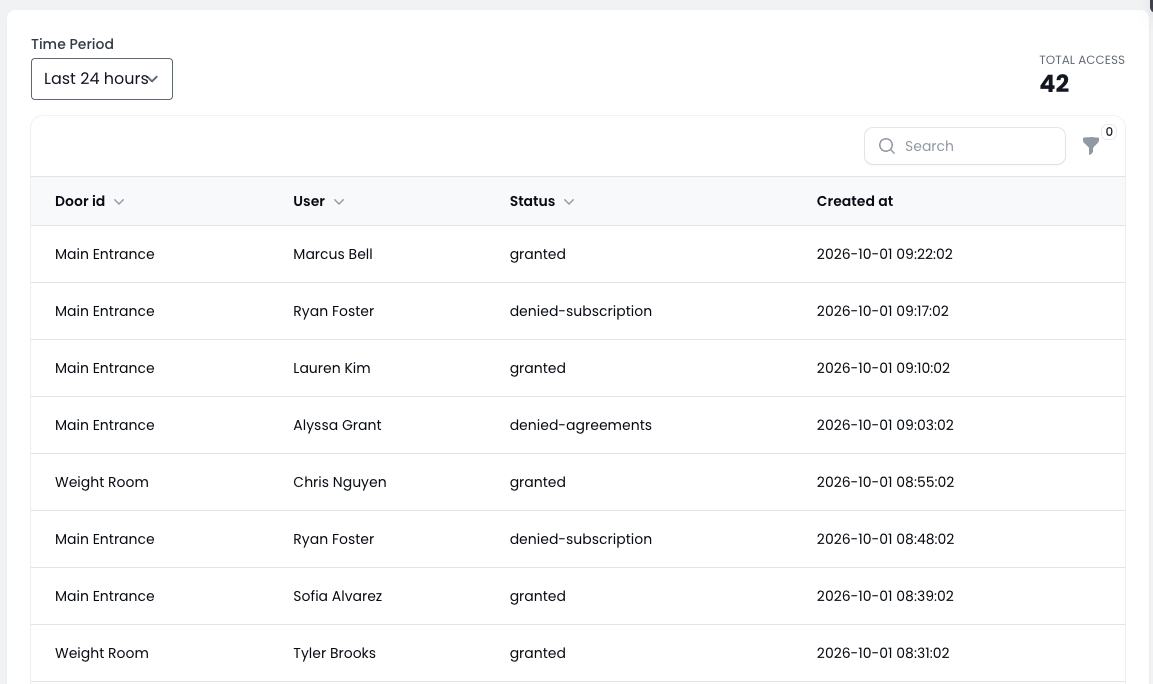
Door access is native here and a Beta add-on there. GymDesk's door access is $100 a month for up to three doors plus $29 for each extra door, runs on partner hardware with installation quoted separately, and some lock vendors charge their own subscriptions; if the gym uses Kisi, members have to unlock with the Kisi app. ManageMemberships door access is part of the same system as your billing and your app: an $89 a month add-on to Core, a $150 one-time hub, and a door that locks itself the moment a card is declined.
Your price doesn't step up as you grow. GymDesk goes from $75 for 50 members to $200 for 400, and a quote beyond that. ManageMemberships Core is $99 a month with unlimited members, and the free plan covers your first 50. Your branded app is included on Core, where GymDesk's is $100 a month after the first month.
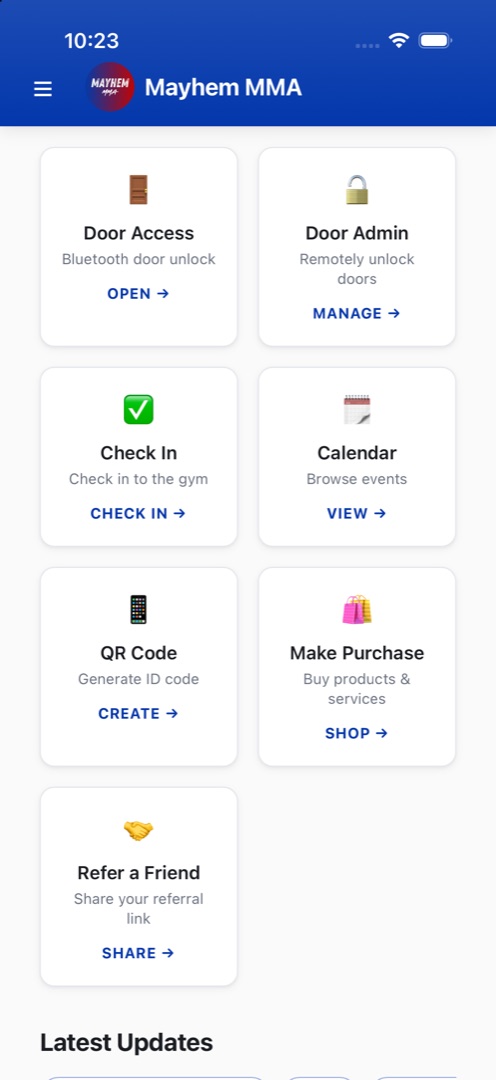
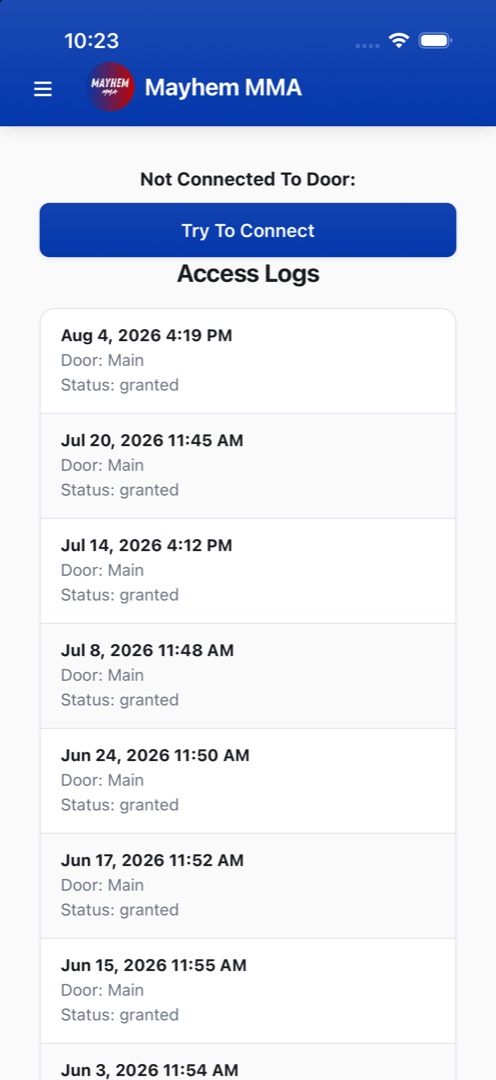
Then there's what runs on its own. Automated retention triggers send a text when a member goes quiet for two weeks or an email before a membership expires. ManageRegister is a full POS with barcode scanning, split payments and card-on-file charging tied to member profiles, and gift cards sync between the register and the membership platform. Members can tap Apple Pay or Google Wallet passes at the door or kiosk. And support comes from the founder who built the platform.
Pricing comparison
| ManageMemberships | GymDesk | |
|---|---|---|
| Up to 50 members | FreeNo credit card required. | $75/moMicro Gym. |
| Up to 100 members | $29/moStarter covers up to 150 members, 4 staff accounts. | $100/moSmall Gym. |
| Up to 200 members | $99/moCore, unlimited members (Starter up to 150). | $150/moMedium Gym. |
| Up to 400 members | $99/moSame Core plan. | $200/moLarge Gym. 400+ is "Contact sales." |
| Door access | +$89/mo, $150 hubNative. Locks automatically on a failed payment. | +$100/mo for 3 doors$29 per extra door. Beta. Hardware installation quoted separately. |
| Branded member app | Included free on Core | $100/moFirst month free. |
| Payment processing | One all-in rateStripe's fees included. | Your processor's rateGymDesk adds no fee on top. |
| Extra locations | Multi-location on Enterprise | $50/mo eachFirst location included. |
| Trial and contract | Free plan, 30-day trial on paid plansMonth-to-month. | 30-day trial, no cardNo setup fees, no contracts, no cancellation costs. |
Put the same gym on both. At 300 members with door access and a branded app, GymDesk is $200 for the plan, $100 for doors and $100 for the app, or $400 a month before hardware. ManageMemberships is $99 for Core plus $89 for door access, or $188, with the app included. Processing works differently on each, since GymDesk passes through your processor's rate and we charge one all-in rate, so we'll run your actual volume with you on a call.
Migration from GymDesk
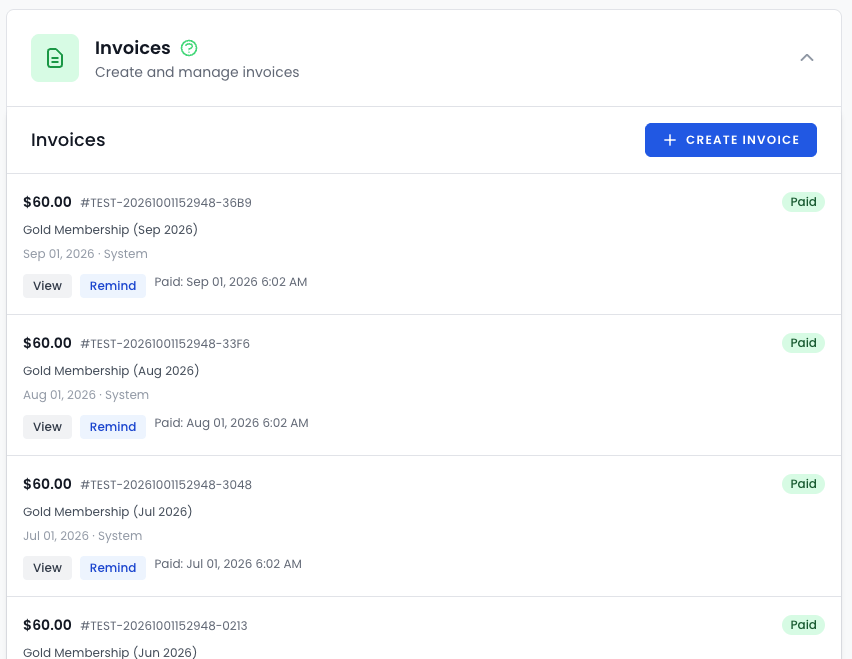
Your data is yours, and GymDesk says so: "Export your members, attendance history and payment records whenever you want." The member list exports as CSV or PDF. We use those exports to bring over your members, membership levels, billing dates and history, and map your plans to ManageMemberships plans one to one. Rank data comes across into custom fields on member profiles; if rank rules are central to how you run promotions, plan how you'll handle them before cutover.
Cards depend on your processor. If GymDesk bills through your own Stripe account, card tokens can move through Stripe's migration process and members don't re-enter anything. If you're on Gymdesk Payments or another processor, GymDesk doesn't publicly state how cards move out, so ask them in writing. When a transfer isn't available, we build branded card-update forms and run an email and text campaign so members can update their card in a couple of taps.
Cutover is where double-billing happens, and we handle it by hand. Your old system stays live until you've checked that every member came across, and you pick the cutover date. Then we cancel each member's old billing individually, timed to land just before their next charge date, so nobody pays twice and nobody has a gap. GymDesk has no contracts or cancellation costs, so you can cancel once everyone is billing here. Most migrations take two to three weeks from start to launch, and migration is included on every plan.
FAQ
Can I run a 24-hour gym with ManageMemberships?
Yes. Built-in door access control ties directly to membership status. Members scan in with a key fob, app, or Apple/Google Wallet pass. Access is automatically revoked when payments fail and restored when they renew. Camera integration provides visual verification of every access event.
Do I need a separate CRM?
No. ManageMemberships includes customizable CRM pipelines for leads, trials, and cancellations, plus email drip campaigns and automated triggers. You won't need HubSpot, HighLevel, or any third-party CRM tool.
What about selling merchandise?
ManageRegister is a full POS with inventory tracking, barcode scanning, split payments, card-on-file charging, and receipt printing. It replaces Square or Clover and lives inside your member management system. Gift cards sync across both platforms.
Will my members have to re-enter their credit cards?
If your GymDesk billing runs through your own Stripe account, card tokens can move through Stripe's migration process and members don't re-enter anything. If you use Gymdesk Payments or another processor, GymDesk doesn't publicly state how cards move out, so ask in writing. If a transfer isn't available, we run a branded card-update campaign by email and text.
How long does migration take?
Most migrations take two to three weeks from start to launch. We handle the data migration directly, and there's no onboarding fee or setup charge.
How much does GymDesk cost?
GymDesk prices by active members: $75 a month for up to 50, $100 for up to 100, $150 for up to 200, $200 for up to 400, and a quote beyond that, with extra locations at $50 a month each. Every plan includes the full platform. ManageMemberships is free up to 50 members, $29 for Starter up to 150, or $99 for Core with unlimited members.
Does GymDesk have door access?
Yes, as an add-on labeled Beta: $100 a month for up to three doors and $29 for each additional door, with hardware installation quoted separately. It works through hardware partners (GymDesk names Seam, Kisi and Rhombus), and Kisi users unlock with the Kisi app. ManageMemberships door access is native, an $89 a month add-on to Core with a $150 one-time hub.
Does GymDesk include a CRM?
Yes. GymDesk says it includes a built-in CRM with email and SMS messaging and no separate CRM to pay for. ManageMemberships includes CRM pipelines, email drips and automated retention on every paid plan too.
Does GymDesk charge processing fees?
GymDesk says it doesn't add fees on top of your processor's rate. You can use Stripe, Square, Authorize.net, GoCardless, Ezypay or Gymdesk Payments, which lists 2.9% + $0.30 per card payment (3.5% for American Express) and 1% for ACH, capped at $5. ManageMemberships charges one all-in rate with Stripe's fees included.
Is there a contract?
No. ManageMemberships is month-to-month on all plans, including the free tier. Cancel anytime.
Sources
These are the public pages referenced in the GymDesk column.
See for yourself
Start with our free tier (up to 50 members, no credit card required) or book a walkthrough and we'll show you exactly how it maps to your current setup.