 ManageMemberships
ManageMemberships vs Mindbody
ManageMemberships is built for owners who want fast daily workflows, a mobile friendly admin, and real human support. It includes member management, waivers, access control with door logs, classes, events, resource booking, CRM pipelines, and automation. A custom branded app is included free on Core, and you can add a full POS without stitching together multiple systems.
Mindbody is widely used across fitness and wellness businesses, with tools for scheduling, client management, payments, marketing, and reporting. Details vary by plan and add‑ons, so anything unclear below is labeled accordingly.
Why owners switch to ManageMemberships
💰One published price
Mindbody starts at $79/mo per location, with higher tiers quoted by sales. ManageMemberships Core is $99/mo with unlimited members, and the price is on our website.
🚪Cancel anytime
No long-term contracts and no lengthy cancellation-notice windows. If it's not working for you, you leave — that's it.
🔐Built‑in door access
Mindbody has no native door access. Ours ties doors to membership status with entry logs — an $89/mo add-on, $188/mo all-in.
🎯Your members stay yours
Mindbody is built around its consumer marketplace, which puts your members one tap from nearby competitors. We don't have a marketplace.
📈CRM included, not upsold
Email drips and lead pipelines are in the $99 base plan, not a premium-tier upsell.
🛎️Founder-level support
Direct help from the person who built the software, plus free migration from Mindbody.
What you get with ManageMemberships
- Real person support, plus free migration assistance
- No onboarding fees
- Multiple admins with granular permissions
- Custom fields on member profiles
- Waiver customization
- Access control with door access logs
- Classes, events, and resource management
- Member communication and email drip campaigns
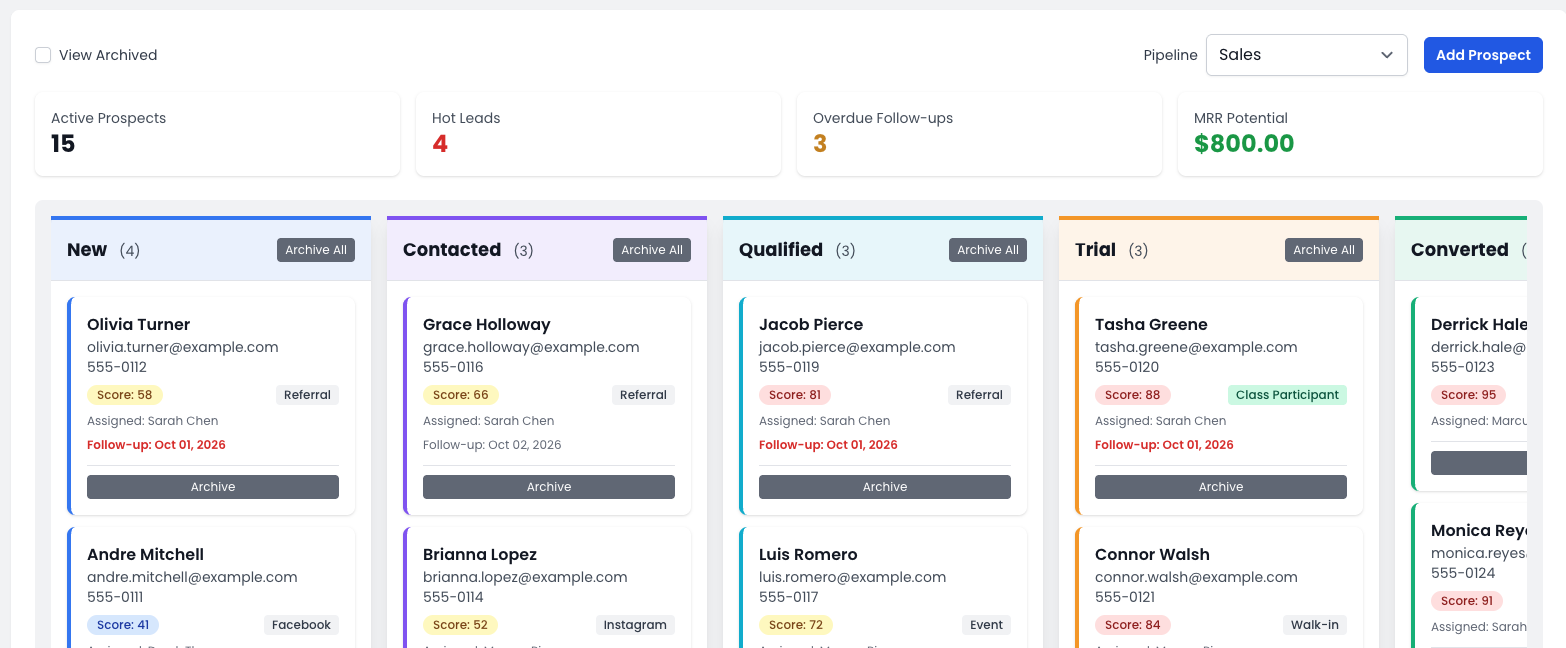
- CRM with customizable pipelines
- Integrations with Trello and Zapier
- Time clock component
- Drag-and-drop homepage builder, pages and a blog
- Custom branded app, included free on Core
- Optional POS via ManageRegister
How this page is written
This comparison uses plain language and public information. The Mindbody column only states what is clearly described on public pages. If something isn’t clearly described there, it’s labeled that way rather than guessed.
Side by side comparison
Designed to scan quickly, similar to common alternatives pages.
| Feature | ManageMemberships | Mindbody |
|---|---|---|
| Real person support | YesDirect help from a real person. | Support exists; details vary by plan/add‑ons. |
| No onboarding fees | YesNo onboarding fees, migration included. | Not clearly listed on public pricing pages. |
| Free migration assistance | YesWe help move your data and get you live. | Migration help is advertised; scope depends on plan. |
| Multiple admin access | YesStaff accounts for front desk, coaches, managers. | Multiple staff users supported; plan details vary. |
| Granular permissions | YesGranular permissions by role. | Roles/permissions exist; exact controls vary by plan. |
| Mobile friendly admin | YesDesigned to manage from a phone. | Works on mobile; depth varies by setup. |
| Custom fields on member profiles | YesTrack exactly what your gym cares about. | Client forms exist; custom profile fields not clearly described on public pages. |
| Waiver customization | YesCustomize waivers for your gym. | Waivers/policies exist; depth varies by tools enabled. |
| Access control & door logs | YesAccess control component with door logs. | Through partners only: the integrations directory lists Gym Access, FaciliKey, Passport Technologies and Kisi. Logging depends on the partner. |
| POS for merchandise | YesManageRegister POS pairs with memberships. | POS exists; hardware/features depend on plan/region. |
| Resource management | YesBookable resources/services. | Resource scheduling exists; details vary by plan. |
| Classes & events | YesScheduling and registration built‑in. | Core scheduling/booking features. |
| Member communication | YesDay‑to‑day messaging tools. | Marketing/messaging tools exist; plan details vary. |
| Email drip campaigns | YesEmail drips for leads & retention. | Automations may be available; not always as “drips” on public pages. |
| CRM with pipelines | YesCustomizable pipelines for lead tracking. | Sales/lead tools exist; specifics vary. |
| Integration: Trello & Zapier | YesTrello + Zapier integrations (Zapier and the API on Core). | Zapier through AppConnect by APIANT, a third-party connector listed at $49/month for 1,000 payloads. No Trello integration described. |
| Time clock | YesTime clock for staff tracking. | May be available; not clearly described for every plan. |
| CMS for pages | YesDrag-and-drop homepage builder with starter templates, plus rich-text pages, member-only pages and a blog. | YesA business website with booking built in on every plan, set up for you ("Zero DIY"), plus branded booking widgets. |
| Custom branded app | YesIncluded free on Core. | Not available on Starter. A paid add-on on Accelerate and Ultimate; the price isn't published. |
| Marketplace exposure | Focus on your own portal and member experience. | Consumer marketplace exposure is part of Mindbody’s model. |
Where Mindbody wins
Reach is Mindbody's real advantage, and it's a big one. Mindbody says more than 40,000 businesses run on its software and that over 3 million active users search, book and buy on the Mindbody app. It also says a first purchase is made from a business found on the app more than 22,000 times a month. If your growth depends on people discovering you, a yoga or boutique studio in a busy metro for example, that's demand ManageMemberships doesn't generate. We don't have a consumer marketplace, and we're not going to pretend a member portal is the same thing.
The ecosystem is the second advantage. Mindbody's integrations store lists more than 100 partners across marketing, payroll, access control and more, so if you need a specific third-party tool there's a good chance it already connects. Its top plans add deeper analytics and growth tooling: Mindbody says Ultimate includes next-level analytics for client, growth and retention insights, an AI front desk, a sales pipeline and marketing automation. It also says setup comes with dedicated one-on-one support at no additional cost.
So if marketplace discovery and a large partner catalog matter more to you than price, door access or contract flexibility, Mindbody is a reasonable choice. The rest of this page is for owners who've weighed that and want to know what they'd be trading it for.
Where ManageMemberships wins
Price and terms come first. Mindbody publishes one number, $79 a month per location for Starter, and quotes the rest through sales. Its contract terms run, in its own words, 12, 24 or 36 months, renew unless you give at least 30 days' notice, and month-to-month usually starts with a 90-day minimum. ManageMemberships puts every plan on the pricing page: free up to 50 members, $29 for Starter, $99 for Core with unlimited members. Everything is month-to-month, and you can leave whenever you want.
Door access is the biggest functional gap. Mindbody has no native access control. You pick one of its listed partners (Gym Access, FaciliKey, Passport Technologies or Kisi), buy their hardware, pay their subscription, and depend on an integration to keep the door in step with billing. Mindbody's own support documentation says it doesn't support third-party integrations, so when the door and the membership disagree you're managing two vendors. In ManageMemberships the door is part of the same system. A failed payment locks it, a renewal unlocks it, and every entry is logged against the member.
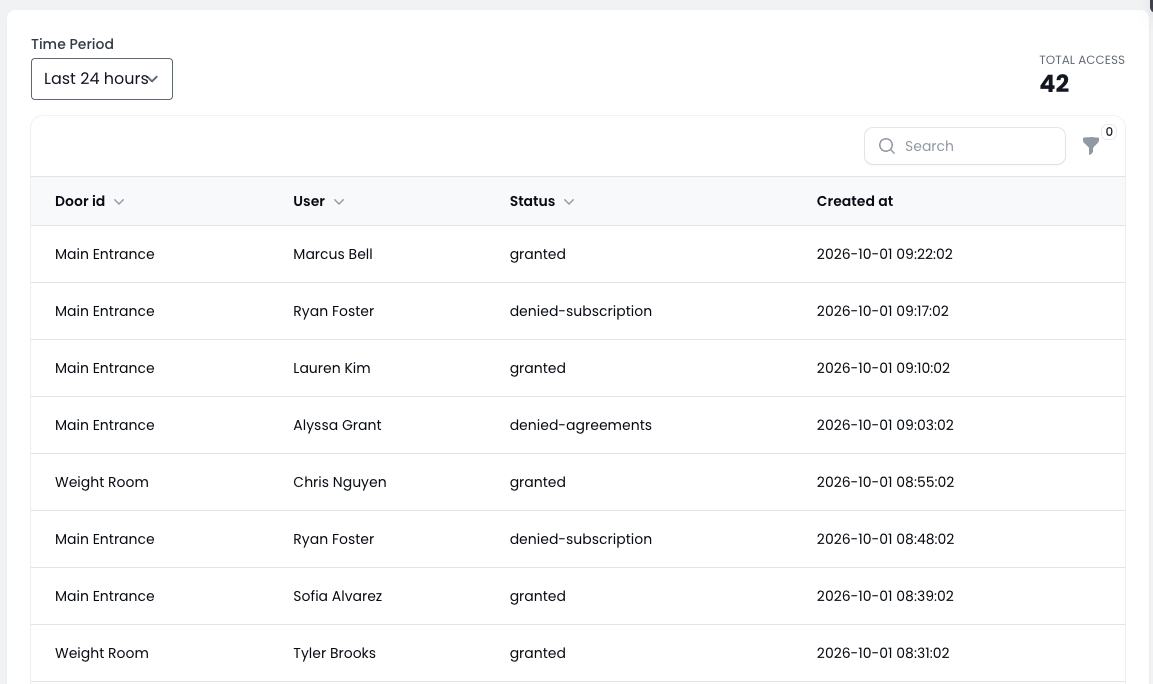
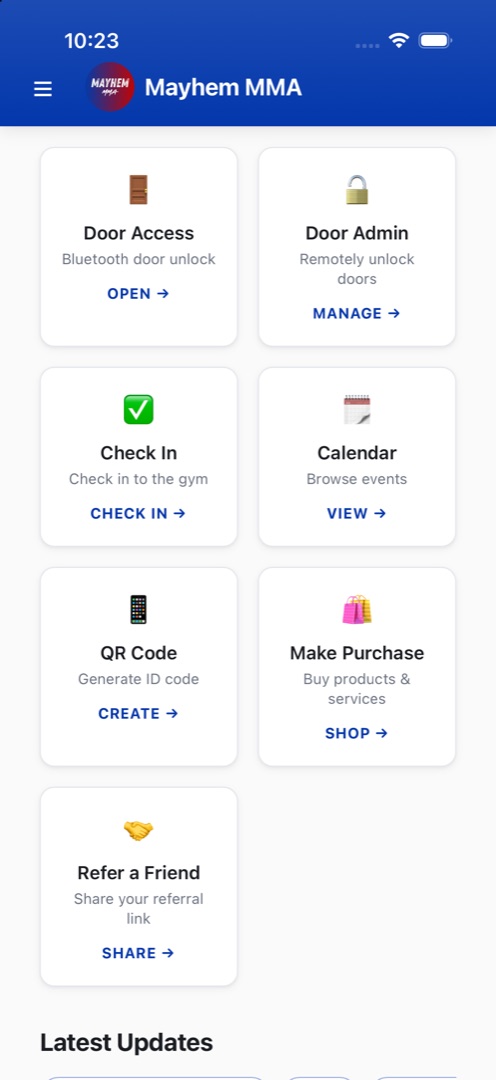
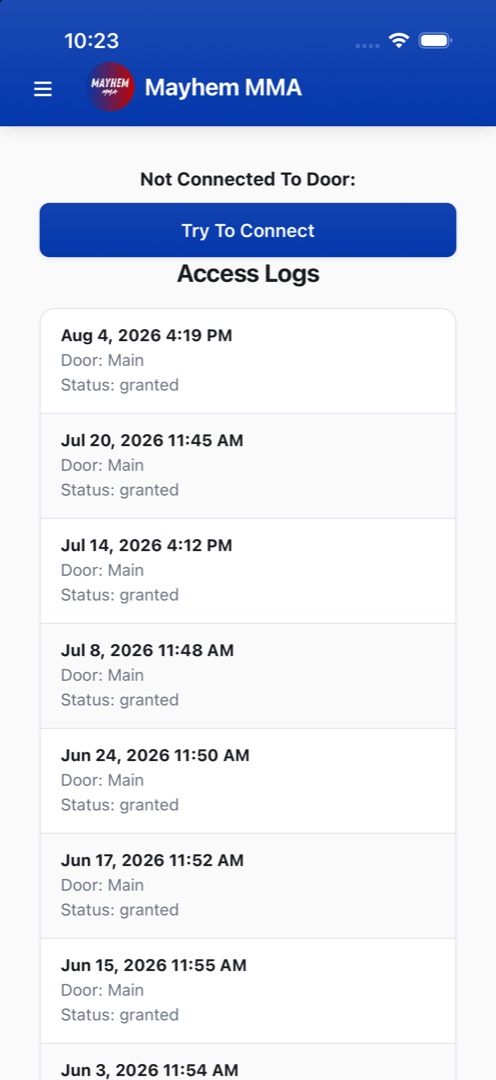
Your members also stay yours. There's no marketplace listing your gym next to the one down the road, and no fee on a member because an app sent them. Lead pipelines, email drips and automated retention are in the base plan, where Mindbody puts its lead management dashboard and email and text marketing on Ultimate only, and Core includes your own branded member app, which Mindbody sells as a separate add-on, plus Zapier instead of a $49-a-month third-party connector. When something breaks, you talk to the person who built the software.
Pricing comparison
| ManageMemberships | Mindbody | |
|---|---|---|
| Published price | Free, $29/mo or $99/moFree up to 50 members, Starter up to 150, Core unlimited. Every price is on the pricing page. | From $79/mo per locationStarter only. Accelerate and Ultimate are quoted by sales. Enterprise is a custom plan. |
| Staff users | 1, 4 or unlimitedOwner only on Free, up to 4 on Starter, unlimited on Core. | Unlimited"You get unlimited users per location." |
| Setup fee | NoneMigration included on every plan. | None"There's no setup fee on any Mindbody plan." Data conversion and custom implementations are priced separately. |
| Contract | Month-to-monthNo minimum term. Cancel anytime. | Depends on planTerms such as 12, 24 or 36 months. Auto-renews unless you give at least 30 days' notice. Month-to-month typically starts with a 90-day minimum. |
| Payment processing | One all-in rateStripe's fees included. No separate Stripe bill. | Not publicly statedMindbody Payments is optional and available on every plan. Rates aren't published. |
| Marketplace fee | NoneNo marketplace. | 20%, capped at $30On a new client's first purchase, when the Mindbody app delivered them. Listing is free, and you can opt out. |
| Branded member app | Included free on CoreYour logo and colors in the App Store and Google Play. | Add-on, not on StarterAvailable as an add-on on Accelerate and Ultimate, priced separately. The price isn't published. |
| Lead CRM & email/text marketing | IncludedLead pipelines, email drips and automated retention on every paid plan. | Ultimate onlyThe lead management dashboard and email and SMS marketing are checked only on Ultimate. |
| Door access | $89/mo add-onNative, with a $150 one-time hub. Locks automatically on a failed payment. | Through partnersGym Access, FaciliKey, Passport Technologies or Kisi, priced by each partner. |
| Point of sale | $59/mo add-onManageRegister, tied to member profiles and cards on file. | Included on every plan"Point of sale & online payments" is checked on Starter, Accelerate and Ultimate. |
| Zapier | Included on Core | $49/mo third-party connectorAppConnect by APIANT, 1,000 payloads a month included. |
The honest comparison isn't $79 against $99. Mindbody's $79 is the entry plan for one location. The analytics, pipeline and automation tools are on plans it doesn't price publicly, the branded app is extra (it's included free on our Core plan), and door access is a separate vendor. Before you compare, ask Mindbody for a written quote on the plan with the features you'd actually use, its processing rate, and the contract length. Then put that next to Core at $99 a month plus the door access add-on if you need it.
Migration from Mindbody
Start with your Mindbody contract, not your data. Mindbody says its contracts renew automatically unless you give at least 30 days' notice before the end of the term, so find your term end date first and work the switch back from it. If you give notice late, you can end up paying for both systems for another term.
Then export everything while you still can. Mindbody says you can export client contact info, purchase history, membership details, visit records, sales reports and staff data as CSV files. Larger exports are a service it offers for an added fee, available up to 30 days after cancellation, and once your site is fully deactivated you can no longer access the data. Pull the exports before you cancel, not after.
Family accounts need a deliberate mapping. Mindbody keeps each child as their own client profile, linked through client relationships such as "is paid for", "shares memberships with" and "shares series with". ManageMemberships models a family as sub-accounts under the account holder who pays. There's no one-size rule here, so we go through your families with you and decide case by case. A common pattern on Mindbody is the same card saved on several children's profiles, which usually means one family that should be billed once. Check that every family came across before go-live, because a child imported as a separate paying member will be billed on their own.
Stored cards are the question to ask Mindbody up front. Mindbody doesn't publicly state whether, or on what terms, it will transfer stored card data to another processor, so get the answer in writing. When a processor supports token transfer, we coordinate it directly and members never re-enter a card. When it doesn't, we build branded card-update forms and run an email and text campaign, so members update their card in a couple of taps. So far every gym we've moved off Mindbody has chosen the update campaign over requesting a card export.
Cutover is where double-billing happens, and we handle it by hand. Your old system stays live until you've checked that every member came across, and you pick the cutover date. Then we cancel each member's old billing individually, timed to land just before their next charge date, so nobody pays twice and nobody has a gap. Your plans, prices and billing cycles are mapped one to one. Most migrations take two to three weeks from start to launch, and migration is included on every plan.
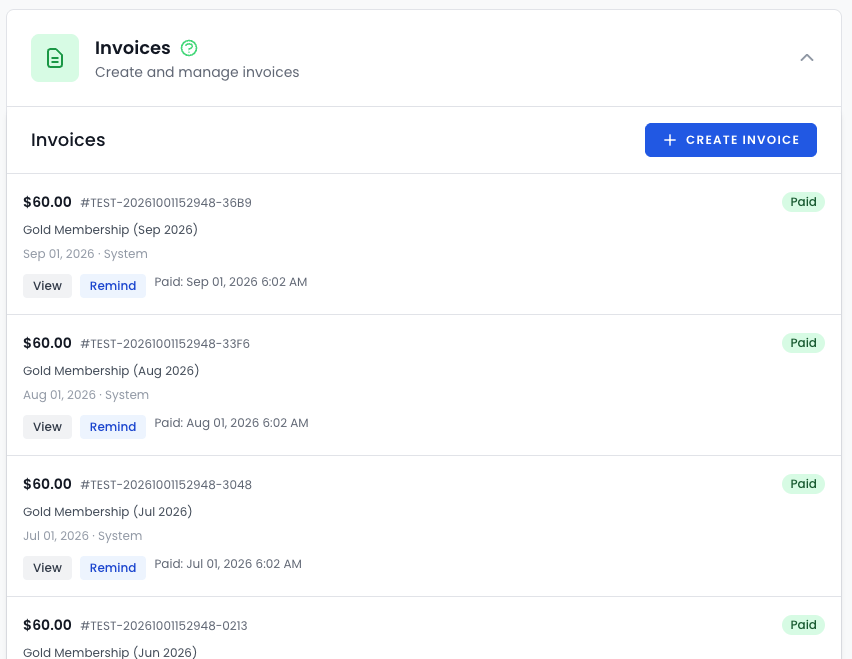
The winning conversation is simple
If you want direct support, fast owner workflows, built‑in access control with door logs, a branded app included on Core, and the option to add a full POS without disconnected systems, ManageMemberships is built for that.
If you want a broad platform with a large consumer marketplace presence and a wide partner ecosystem for add‑ons like door access, Mindbody may fit that model.
FAQ
Can I give coaches access without giving them everything?
Yes. ManageMemberships supports granular permissions by role.
Can I sell merchandise and run a real register?
Yes. ManageMemberships can add a full register experience through ManageRegister.
Can I run door access and review door activity?
Yes. ManageMemberships includes door access logs so you can see activity and troubleshoot quickly.
Do you help migrate data?
Yes. Migration assistance is included, and we help you get live.
How much does Mindbody cost?
Mindbody publishes one price: the Starter plan starts at $79 USD a month per location. Accelerate and Ultimate are quoted by its sales team, and Mindbody says there is no setup fee on any plan. Payment processing rates are not publicly stated. ManageMemberships is free up to 50 members, $29 a month for Starter, or $99 a month for Core with unlimited members.
Does Mindbody charge a fee for clients from its app?
Listing on the Mindbody app is free. Mindbody says a fee applies only when the app delivers a client you would not have received otherwise: 20%, capped at $30, on that client's first purchase. Mindbody says you can opt out of the program in your software settings. ManageMemberships has no marketplace, so there is no equivalent fee.
Is there a contract with Mindbody?
Mindbody says its terms depend on the plan, with examples of 12, 24 or 36 months, that contracts renew unless you give at least 30 days' notice before the end of the term, and that most month-to-month contracts start with a 90-day minimum. ManageMemberships is month-to-month with no minimum term.
Can I export my data from Mindbody?
Mindbody says you can export client contact info, purchase history, membership details, visit records, sales reports and staff data as CSV files, that larger exports are an added-fee service available up to 30 days after cancellation, and that you lose access to the data once your site is fully deactivated. Export everything before you cancel.
Will my members have to re-enter their cards if I leave Mindbody?
Mindbody does not publicly state whether, or on what terms, stored cards can be transferred to another processor. Ask Mindbody in writing before you plan the switch. If a transfer is not available, we run a branded card-update campaign by email and text so members can re-enter their card in a couple of taps.
Does Mindbody have door access control?
Not natively. Mindbody lists four door access partners in its integrations directory: Gym Access, FaciliKey, Passport Technologies and Kisi, each priced and supported separately. ManageMemberships includes native door access as an $89 a month add-on that locks the door automatically when a payment fails.
Sources
- Mindbody Pricing
- Mindbody Home
- Branded App
- Business Management
- Liability Waiver (Support)
- Door Access (Integrations)
- Staff Permissions (Support)
- Retail POS (Support)
- Time Clock (Support)
- Branded Web Tools
- Zapier (Integrations)
- Contracts, Cancellation & Data (Mindbody blog)
- The Mindbody App for Businesses
- Supplemental Terms for Marketing Services
- Door Access & Hardware Integrations (Support)
- Assigning Client Relationships (Support)
- Mindbody Integrations Store