


Release 1.19.0 is a foundational update focused on reliability, data hygiene, and day to day usability. This release touches nearly every area teams interact with regularly, including dashboards, CRM, invoicing, member records, and reporting.
The goal with this release was simple. Reduce friction, remove ambiguity, and give owners and staff more confidence that what they see in the system is accurate and actionable.
Performance and Platform Improvements
Faster dashboards and reporting
Dashboards have been optimized to load faster, particularly for accounts with a large number of members, transactions, or historical data. We focused on reducing unnecessary recalculations and improving how summary data is retrieved.
The result is noticeably quicker load times when opening dashboards, switching views, or reviewing key metrics during busy hours.
Invoicing and Financial Workflows
Invoice reminders with accountability
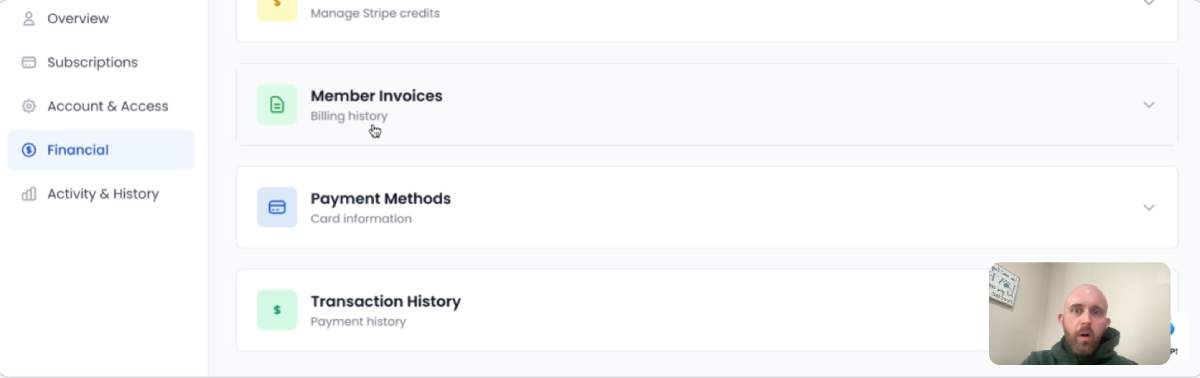
Invoice functionality has been extended to support reminder emails for unpaid invoices. Instead of manually chasing payments or relying on external tools, reminders can now be sent directly from the platform.
Each reminder logs who sent it, creating a clear audit trail for teams. This avoids confusion around follow ups and gives owners visibility into how invoicing is being handled.
This is especially helpful for teams with shared financial responsibilities or rotating front desk staff.
Social Sharing and Visibility
Correct Facebook titles for shared classes
When classes are shared on Facebook, the correct og:title is now used. This fixes an issue where shared links could display inconsistent or misleading titles.
The result is cleaner previews, better context for viewers, and more professional looking shares when members promote your classes organically.
Expanded social sharing support
Additional social sharing improvements were made across the platform to ensure links render consistently and predictably across common platforms.
CRM Improvements and Simplification
Smarter prospect to member conversion
When converting a prospect to a member, the system now checks for an existing member with the same email address. If a match exists, it prevents creating a duplicate and prompts you to take the appropriate action.
This change alone eliminates a large source of long term data issues that tend to surface months or years later.
Prospect status that stays put
Prospect status is now sticky. Being added to a drip campaign no longer automatically moves a prospect into contact status.
This gives teams full control over when and how prospects move through the CRM, instead of automation quietly changing their state behind the scenes.
CRM without stages
CRM functionality has been simplified by removing stages and replacing them with clear steps. This removes unnecessary configuration and makes the CRM easier to understand for staff who are not power users.
The focus is now on action and progress rather than managing abstract pipeline states.
Add existing members to CRM
You can now add existing members to the CRM without recreating them. This works both for individual members and in bulk.
This makes it much easier to bring your current member base into follow up workflows, outreach campaigns, or internal tracking without duplicating records.
Member Management and Data Integrity
Merge duplicate member accounts
Owners can now merge duplicate member accounts directly from the Members page.
The merge tool intelligently suggests which account to keep based on the most recent successful payment. Before confirming the merge, you are shown a side by side preview including transaction count, subscription count, and check in history for each account.
When merged, all related data is preserved and combined, including financial transactions, subscriptions, check ins, notes, agreements, custom fields, and more. An audit note is automatically created documenting the merge, ensuring there is always a clear record of the action.
This feature addresses one of the most common long term problems in member databases and helps keep reporting accurate over time.
Member details redesign
The member details section has been significantly redesigned to improve clarity and speed. Information is easier to scan, key actions are easier to find, and related data is grouped more logically.
This redesign is meant to support real world usage at the front desk or on a tablet, where speed and clarity matter more than dense layouts.
Registration, Referrals, and Feedback
Improved referral code handling
Registration forms now support referal_code references with improved options for handling referral codes during signup. This gives you more control over how referrals are captured and tracked without custom development.
Shareable class feedback images
Class feedback can now be downloaded as images. This makes it easy to share positive feedback on social media, in newsletters, or within your community without manual screenshots or formatting.
Subscriptions and Compliance
Public and private subscriptions
Users can now subscribe to both public and private offerings. This allows for more flexible membership structures, including invite only programs, private classes, or restricted access offerings.
Waiver compliance reporting
A new waiver compliance report helps identify missing or expired waivers quickly. This is designed to support audits, safety reviews, and internal checks without manual digging.
Automation and Settings
Action triggers in settings
Action triggers are now accessible directly from settings. This makes it easier to configure and manage automated behavior without navigating through multiple sections of the platform.
Why This Release Matters
Release 1.19.0 is about reducing the slow erosion that happens when systems grow without guardrails. Duplicate members, unclear CRM movement, slow dashboards, and silent automation changes all add friction over time.
This release tightens those edges, improves visibility, and gives teams tools to clean up issues instead of working around them.
Everything in this release is live automatically and requires no migration or setup to begin using.
As always, feedback is welcome, and these changes are built directly from real usage patterns and customer input.
Want to See These Features in Action?
View a live demo of how dashboards, CRM, member management, invoicing, and automation work together inside ManageMemberships.
